
December 8, 2025
⯀
25
min


Creating an MVP (Minimum Viable Product) prototype is a smart way for non-technical founders to test their app ideas without heavy investment in development. It’s all about building a basic, interactive version of your product to validate your concept, gather user feedback, and avoid costly mistakes.
Here’s why it matters:
Steps to create your MVP prototype:
Prototyping isn’t just about design; it’s a learning process that helps you focus on what truly matters to your users. Once validated, you can confidently work with developers to build your MVP.
Key takeaway: Start small, test early, and iterate quickly to create a product people love.
Before diving into design, take the time to plan. Skipping key preparation steps can lead to overly complex projects, miscommunication, and wasted resources. By laying a solid foundation, you set the stage for efficient prototyping and meaningful user testing.
Start with a clear, concise problem statement that answers three key questions: Who is facing the problem? What exactly is the issue? Why are current solutions falling short? For example: “Freelance designers in the U.S. waste over 5 hours weekly chasing unpaid invoices, leading to unpredictable cash flow.” Notice how this statement is specific - it identifies the audience, quantifies the problem, and highlights the impact.
Once you’ve drafted your problem statement, validate it by conducting 5–15 short interviews with people in your target audience. These can be informal - think 20-minute coffee chats or video calls. Your goal is to confirm that the problem is real and that people are already using workarounds, like spreadsheets, email reminders, or even paper logs. During these conversations, capture direct quotes, how frequently the problem occurs, and its impact in terms of time or money. These insights will help you prioritize features later.
After gathering feedback, compile a one-page Problem Brief to share with your team. Include:
This document keeps everyone aligned and avoids the pitfall of building a solution that doesn’t address a real need.
Next, create two or three lean personas based on your interview findings. Each persona should include:
For example, if you’re building a fitness booking app for busy professionals, one persona might be: “Sarah, 34, marketing manager in Chicago, checks her iPhone during her morning commute, uses Google Calendar religiously, and wants to book workouts in under 60 seconds because she’s always rushing between meetings.”
If your product is U.S.-focused, consider region-specific details like using USD ($) for pricing, typical work hours (9:00 AM to 5:00 PM), and any relevant regulations. Share these personas as a simple one-slide-per-persona PDF. This helps your design or development team make informed decisions about navigation, layout, and feature priorities without constant clarification.
Focus on one high-impact outcome that showcases your app’s main value. This could be something like “user books a workout session,” “user logs a skincare routine,” or “user requests a quote.” Your task is to map the shortest path from when a user opens your app to when they achieve this outcome.
Grab a whiteboard or even a piece of paper to map out the steps. Start with the entry point - does the user open the app from their home screen, tap a notification, or land on a sign-up screen? Then, list each action they’ll take: “sign up,” “select plan,” “enter details,” “confirm,” and finally, “see success screen.” Each step should represent something the user can see and do on their screen - no vague or hidden actions.
Once you’ve outlined the steps, review them critically. Ask yourself: Can I remove or delay this step without affecting the outcome? If the answer is yes, mark it for a future version. For example, if your app helps users book fitness classes, asking for detailed fitness goals might be useful later but isn’t necessary for booking the first class. Save it for version two.
This streamlined “happy path” becomes the backbone of your prototype. It guides designers on what screens to create and in what order, keeping the focus on the main outcome and avoiding unnecessary complexity.
To effectively communicate this journey to your team or a development agency, prepare a few simple artifacts:
These low-fidelity materials are enough for a development partner, like Dots Mobile, to transform your flow into polished, interactive prototypes. By leveraging platform-specific design patterns (e.g., iOS navigation versus Android design principles), they ensure your app feels intuitive and native.
Before moving forward, validate your user journey with quick concept tests. Show your mapped flow (using paper or slides) to 5–10 people in your target audience. Walk them through the steps, explain the problem, and ask for feedback. Have them rate how valuable the flow would be on a 1-to-10 scale and identify any confusing or unnecessary steps. If multiple people flag the same issue, simplify or adjust the flow before building anything interactive.
Your user journey will help you identify the essential features for your MVP. Start by listing every feature you’ve brainstormed or observed in competitor apps. Then, use the MoSCoW method to organize them into four categories: Must-have, Should-have, Could-have, and Won’t-have (for now).
Here’s an example for a U.S.-based fitness booking app:
| Category | Features |
|---|---|
| Must-have | Email-based sign-up/login; view classes with U.S. date/time format; book and confirm classes; cancel bookings |
| Should-have | Basic profile (name, preferred gym, time zone); push notifications for reminders; payment with stored card in USD ($) |
| Could-have | Class ratings and reviews; Apple Health/Google Fit integration; social sharing |
| Won’t-have | Advanced analytics; AI-based workout plans; third-party platform integrations |
By focusing on Must-haves and a few Should-haves, you can quickly test whether users will consistently engage with your app without wasting time or money on unnecessary features.
Avoid common pitfalls like treating every feature as a Must-have, designing for rare edge cases, or prioritizing flashy elements (like animations) over functional, user-friendly design. Always ask: Is this feature necessary to test whether users will use and pay for the core solution?
With your plan laid out and features prioritized, it’s time to turn ideas into something tangible. This is where your app starts to take shape - moving from abstract concepts to prototypes that showcase how it will function, all without writing a single line of code.
Wireframes act as the blueprint for your app, showing its structure, layout, and navigation without the distraction of design details like colors or images. They answer key questions: Where does each element go? How do users move through the app?
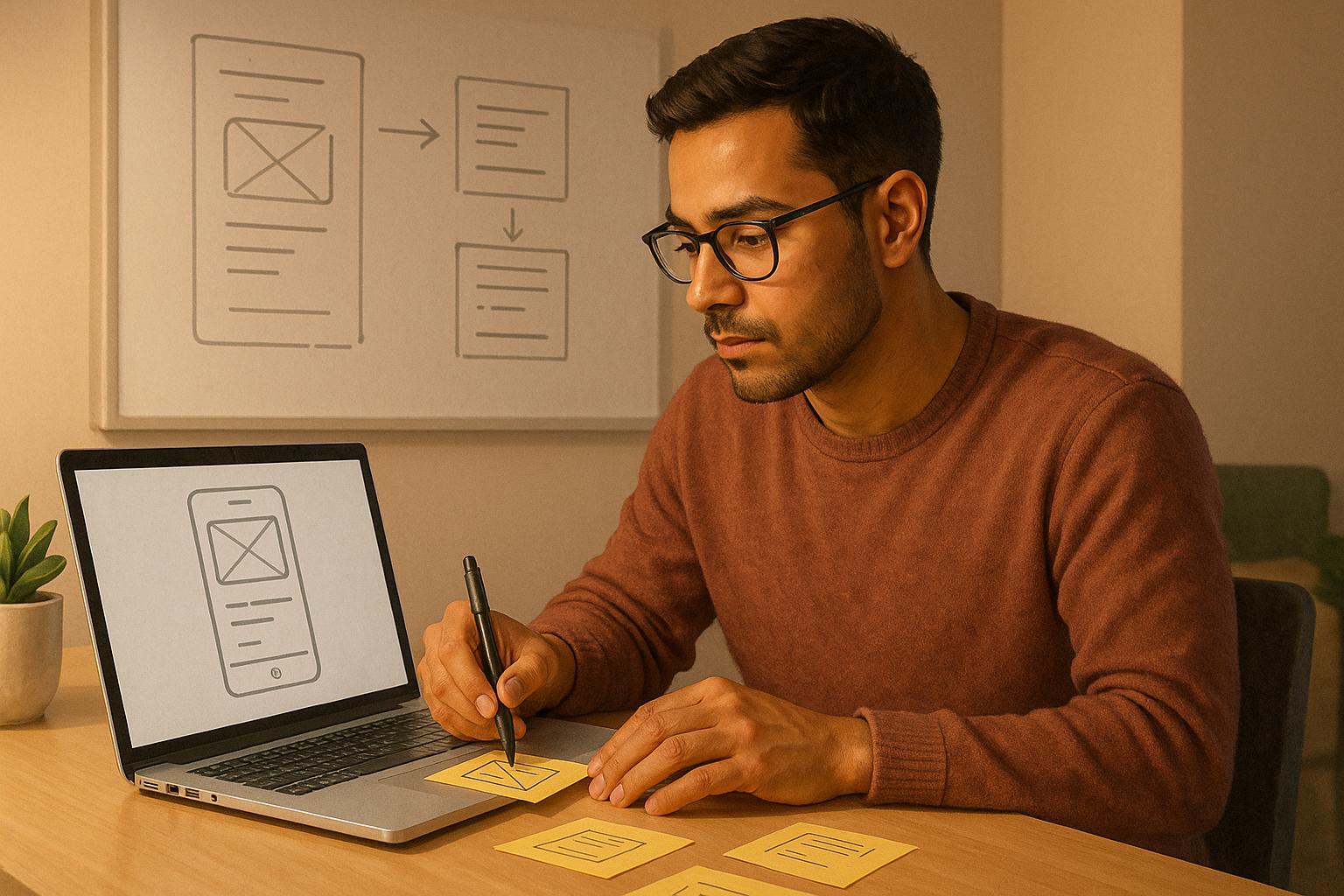
Begin with pen and paper. Sketch out each screen using simple shapes, labeling key elements like "Sign-up form", "Primary button: Book Class", or "List of available sessions." Use arrows to show navigation, such as "Tap 'Start Workout' → Workout Session screen." This approach is quick and flexible, letting you iterate without getting too attached to any one version.
Once your paper sketches feel solid, transition to a digital wireframing tool. Figma is a favorite among product teams for its browser-based, collaborative features and free individual plan. If you prefer a hand-drawn aesthetic, Balsamiq is another option, available for $89 as a desktop app or $9/month for the web version. Both tools offer drag-and-drop components like buttons and text fields, making it easy to create layouts.
In your digital wireframes, focus on three key elements for each screen: content blocks (what information is displayed), navigation (how users move around), and primary actions (what you want users to do next). For example, a workout booking screen might feature a header with the app name, a scrollable list of classes, and a prominent "Book Now" button at the bottom. Keeping each screen focused on one main call-to-action prevents user overwhelm.
Add clear labels and notes to your wireframes. Instead of designing a polished button, simply write "Primary button: Confirm Booking" in a rectangle. Include annotations like "If user is new, show onboarding tooltip here" or "Phone numbers must follow U.S. format (e.g., (555) 123-4567)." These notes help others understand your intent, whether it’s a co-founder, an early team member, or a development partner like Dots Mobile.
Group your wireframes logically - onboarding screens, main workflows, settings, and error states. For a U.S.-focused fitness app, you might include key screens like sign-up, a home dashboard showing upcoming classes, a class detail screen with date and time in U.S. format (e.g., 03/15/2026, 9:00 AM), a booking confirmation screen, and a success message. Stick to familiar mobile patterns - title at the top, main content in the middle, and key action at the bottom - to make navigation intuitive.
Before moving forward, validate your wireframes. Show them to three or four people from your target audience and walk them through the flow. Ask, "Does this make sense? Is anything unclear?" If you notice recurring confusion, simplify the design. This feedback costs nothing and can save you from costly revisions later.
Next, it’s time to transform static sketches into an interactive prototype.
While wireframes outline structure, interactive prototypes demonstrate how your app behaves. A clickable prototype allows users to tap buttons, navigate screens, and experience your app as if it were real - without requiring any backend development. This makes it invaluable for usability testing and communicating your vision to developers.
Start by importing or recreating your wireframes in a prototyping tool. Figma’s free prototyping features let you link screens and simulate navigation effortlessly.
In Figma’s prototyping mode, connect elements on one screen to their target destinations. For instance, link the "Book Now" button on your class detail screen to the booking confirmation screen, setting the interaction to "On tap → Navigate to Confirmation." Repeat this for all interactive elements in your core flow to create a realistic, clickable experience.
Use device frames to give your prototype a real-world feel. Figma provides templates for devices like the iPhone 14 or popular Android models. This helps you identify layout issues, such as text that’s too small or buttons that are difficult to tap, before development begins.
Organize your prototype into logical flows. For example, if your app includes onboarding, task navigation, and settings, group these into separate sections in Figma. Ensure there are no dead ends - every button should lead somewhere, even if it’s just a placeholder screen labeled "Coming soon."
Your prototype should showcase at least one complete user journey. For a fitness booking app, this might include: opening the app → signing up with email → viewing available classes → selecting a class → confirming the booking → seeing a success message. Use realistic content like class names, 12-hour times, and dollar amounts to surface usability issues.
Don’t worry about perfect visuals or animations at this stage. A medium-fidelity prototype with clear interactions and consistent layouts is sufficient for testing and gives developers enough detail to estimate the scope of work. Startups that create interactive prototypes often report 30–40% fewer major changes during development. For example, in January 2023, a non-technical founder used Figma to build a clickable prototype for a fitness tracking app. After testing with 20 users, they identified navigation issues and reduced the steps to log a workout from seven to three. This refined prototype was handed off to developers, who completed the MVP in just eight weeks with minimal changes.
When your prototype is ready, Figma generates a shareable link that works in any browser. You can also test it on an iPhone or Android device using Figma’s mobile app, which is great for evaluating tap targets and scrolling. If you’re working with a development team, they can review your Figma file directly and flag any technical challenges or opportunities.
With your interactive prototype in hand, it’s time to fine-tune the design for a seamless, user-friendly experience.
Even a well-thought-out prototype can fall short if it doesn’t feel natural to use. Mobile UI/UX design goes beyond looks - it’s about making your app intuitive and accessible for your audience.
Stick to established patterns: iOS apps typically use bottom tab bars and top back arrows, while Android apps rely on system back gestures and floating action buttons. Ignoring these conventions can confuse users. For guidance, Dots Mobile can help align your designs with Apple’s Human Interface Guidelines and Android’s Material Design principles, ensuring your app feels at home on both platforms.
Tap targets are crucial for mobile usability. Fingers aren’t as precise as a mouse, so buttons, icons, and links need to be at least 44×44 points (iOS) or 48×48 density-independent pixels (Android). If your prototype has small icons or tightly packed buttons, users may hit the wrong element by mistake. Add plenty of white space around interactive elements to avoid this.
Use U.S. conventions for dates (MM/DD/YYYY), times (12-hour clock), and prices (in dollars). If your app includes measurements, default to imperial units (miles, pounds, feet) unless your audience expects otherwise.
A prototype only becomes valuable when real users put it to the test, revealing what works, what confuses, and what needs adjustment. Testing isn't just about confirming your assumptions - it's about challenging them to uncover where your design might fall short before diving into development.
The quality of your feedback hinges on who you test with. While friends and family may be too kind, and random strangers might not represent your audience, the ideal testers are people who actually face the problem your app aims to solve.
Start by identifying relevant online communities. For instance, if you're building a fitness app, explore Facebook fitness groups, running clubs, or wellness forums. For productivity tools, LinkedIn groups for remote workers or Slack communities can be helpful. Reddit is another great option, with subreddits like r/startups or industry-specific ones often welcoming feedback requests. When reaching out, share a brief description of your prototype, what you're testing, and consider offering small incentives like early access to the final product.
In-person testing is also valuable. Local meetups, co-working spaces, startup events, and networking groups provide opportunities to demo your prototype and observe users interacting with it in real-time. For mobile apps, this can be as simple as handing someone your phone and watching how they use it.
If you need quicker results or a highly specific audience, paid platforms like UserTesting.com or TryMyUI are worth considering. These services charge around $10–$30 per tester and allow you to define user demographics and behaviors. They also provide recorded sessions and written feedback, which can be especially useful after initial free tests to refine your approach.
Aim to test with 5–10 users per round. Research by Jakob Nielsen shows that testing with just 5 users can reveal about 85% of usability issues. Keep in mind, testing with people who already love your idea or are too similar to you can skew results. For example, a founder of a meal-planning app should test with busy parents or shift workers rather than only fellow startup founders who meal prep.
In mid-2022, a founder working on a meal-planning app for busy parents used a no-code prototype built on Bubble and shared it with a private Facebook group of working moms. By asking users to complete tasks like "Plan meals for next week" or "Add a custom recipe", the founder found that the onboarding process was too lengthy and confusing. After reducing the steps from 7 to 3 and adding clearer instructions, task completion rates jumped from 55% to 88% in the next round of testing.
Once you've identified the right users, the next step is running structured usability tests.
Usability testing doesn't require a fancy lab - just a quiet space, your prototype, and a user willing to share their thoughts. Sessions should take 15–30 minutes and focus on how users interact with the app.
Before the session, define 3–5 key tasks that represent the primary user journey. For example, in a fitness booking app, tasks might include: "Sign up for an account", "Find a yoga class on Saturday morning", and "Book the class." Write tasks as clear, open-ended instructions. Instead of saying, "Tap the calendar icon to find a class", phrase it as, "Find a yoga class happening this weekend." This helps reveal whether the design is intuitive.
Start each session with a brief introduction: "We're testing an app idea to see how easy it is to use. There are no wrong answers - if something is confusing, that's valuable feedback for us." Reassure users that you're testing the prototype, not their skills, to encourage honest reactions.
Share the prototype (via a Figma link or screen sharing) and ask users to think aloud as they complete tasks. Encourage them to verbalize their thoughts, like "I'm looking for a sign-up button... oh, I see 'Get Started,' so I'll try that." If they hesitate, wait 10–15 seconds before prompting with questions like, "What are you thinking right now?" or "What do you expect to happen next?" If necessary, provide a small hint, but note where they struggled.
After each task, ask follow-up questions such as: "Was that easier or harder than expected?" or "What did you think that button would do?" At the end of the session, ask broader questions like, "On a scale of 1–10, how likely are you to use this app?" and "What one thing would you change if you could?"
Record every session (with permission) using tools like Zoom, Loom, or your phone's screen recorder. Recordings allow you to revisit hesitation points, user expressions, and their exact wording. While taking notes during the session, focus on major stumbling blocks and direct comments like, "I wasn't sure what this button does" or "I expected to see pricing here."
In January 2023, a founder creating a fitness coaching app tested a clickable Figma prototype with 8 members of a local gym's Facebook group. Observing that 6 out of 8 users struggled to locate the booking feature, the founder simplified the navigation and added a prominent "Book Session" button. In a follow-up test with 5 new users, all successfully completed the booking task, and support questions dropped by 40% during the beta launch.
Pay attention to behavioral metrics like task success rates (did users complete tasks without help?), time on task, and error rates (e.g., wrong taps or dead ends). For example, if 4 out of 5 users take over a minute to find the booking button, or if 3 out of 5 click the wrong option first, it's a sign that navigation or labeling needs work.
Use these observations to guide targeted improvements.
After testing, analyze your data to identify recurring issues. Organize your notes and recordings to pinpoint patterns.
Log issues in a spreadsheet or tool like Notion. For each problem, document:
Group similar problems into themes like "Navigation issues", "Sign-up friction", or "Unclear labels." Then, prioritize them using a frequency vs. severity matrix. Critical issues - those affecting core tasks - should be addressed first. Minor confusion or visual tweaks can wait.
Categorize feedback into three levels:
Translate each issue into a concrete action. Instead of vague notes like "Improve navigation", specify, "Move the 'Book Now' button to the bottom of the class detail screen and increase its size to 48×48 pixels." This clarity ensures smoother updates and helps communicate changes to development teams, such as Dots Mobile, who can integrate these insights into the app's technical build and design.
After testing your prototype and refining it based on user feedback, the next step is transforming those validated designs into a functional product. This stage requires clear communication, choosing the right development partner, and staying actively involved throughout the process. Let’s break down what developers need from you, how to select the right partner, and how to stay engaged during development.
To turn your vision into reality, developers need precise, detailed materials that outline your product's requirements. The more clarity you provide upfront, the smoother and faster the process will be.
Start with a one-page product brief. This document should summarize the problem you're addressing, your target audience, your app's main value, and your business goal - whether that's generating leads, securing subscriptions, or facilitating transactions. This brief provides essential context for the development team’s decisions.
Next, prepare a prioritized feature list using a framework like MoSCoW (Must have, Should have, Could have, Won't have). For each feature, ask: "Can I launch without this?" If the answer is yes, move it to a lower priority. For instance, instead of tagging "social sharing, push notifications, in-app messaging, and user profiles" as must-haves, you might decide that user profiles and push notifications are essential for launch, while the rest can wait for later updates.
Provide finalized or near-final screen designs that cover all key user journeys. These should include labeled screens for different states, such as empty, loading, and error. Pair these designs with user flows that map out each step of the journey. For example, in a fitness app: "User opens app → taps 'Find a Class' → selects 'Yoga' → picks a date → taps 'Book Now' → sees confirmation screen." Whether you use diagrams or bullet points, the goal is to clearly show how screens connect and what triggers each transition.
Include technical assumptions like the platforms you’re targeting (iOS, Android, or web), necessary integrations (e.g., Stripe for payments or Firebase for authentication), and any performance or security requirements. For a U.S. audience, specify details like currency in USD (e.g., $19.99), dates in MM/DD/YYYY format, and measurements in imperial units to ensure developers configure the correct locale settings.
Lastly, maintain a Q&A or decisions log. Document why certain features were skipped or simplified based on user testing. This helps developers avoid reintroducing features or complexity you intentionally removed.
Organize all these materials in a central repository, such as Notion or Google Drive. Create clear sections like Product Brief, Features & Scope, Designs, User Flows, and Technical Requirements. A well-structured handoff minimizes misunderstandings and keeps the project on track. Once your materials are ready, the next step is choosing the right development partner.
Picking the right development partner is crucial. A poor choice can lead to delays, budget overruns, or an MVP that falls short of your vision. The right partner, however, acts as an extension of your team, helping you make smart trade-offs and deliver a product users will love.
Look for a partner experienced in building MVPs for early-stage companies. These teams understand tight budgets, quick timelines, and the need for rapid validation. Review their portfolio for projects they’ve launched from scratch, not just maintenance work. Ask about the results - did their MVPs attract users, secure funding, or enable further iterations?
A full-service development team often outperforms a group of freelancers. Managing separate designers, developers, and QA testers can turn you into the project coordinator, juggling responsibilities and resolving conflicts. A full-service partner, like Dots Mobile, handles everything - from UI/UX design to backend development and App Store optimization - under one roof. This reduces miscommunication and ensures design and technical decisions align from the start.
For example, Dots Mobile has experience with AI-powered mobile apps in fitness, beauty, and lifestyle, making them familiar with performance constraints, personalization features, and data-handling requirements. They work across all stages - prototyping, building, testing, and launching - while also advising on app store listings tailored to U.S. users and monetization models in USD. With over 10 years of experience, 30+ satisfied customers, and 54 apps launched, they bring both technical expertise and product insight.
When evaluating partners, focus on their process and communication style. Ask how they define MVP scope and handle feature creep. Good partners challenge your assumptions and help you prioritize effectively, rather than agreeing to build everything you request. They should provide a milestone-based plan, such as Discovery → Design → MVP Build → QA → Launch, with timelines and cost estimates for each phase.
During discovery calls, ask specific questions like:
Look for detailed, example-driven answers rather than vague promises. For instance, Brock Jones, CEO at Bambii, shared:
They set clear expectations, delivered everything ahead of schedule and within budget, and approached complex tasks with a scalable, well-thought-out strategy.
Budget is another critical factor. U.S.-focused MVP agencies typically suggest a budget range of $25,000–$80,000 for a professionally built mobile MVP, depending on platform count and backend complexity. Many firms offer fixed-price discovery or prototype phases ranging from $3,000–$10,000, which can help reduce risk. Hourly rates for U.S.-based agencies often fall between $100–$200/hour, while nearshore teams may offer lower rates while aligning with U.S. time zones.
Ultimately, the best partner doesn’t just write code - they guide you through trade-offs, help you stay lean, and ensure your MVP is ready to test your core idea without overbuilding. Once you’ve selected the right team, your involvement remains key to a successful outcome.
After the handoff and partner selection, your role evolves from defining the product to steering its execution. You’ll need to focus on priorities while leaving technical decisions to the experts.
Start by setting clear milestones tied to specific deliverables. For example: "Week 3: onboarding flow implemented and testable; Week 5: payments functional in sandbox mode; Week 7: full MVP ready for internal testing." These checkpoints help you monitor progress and flag issues early.
Insist on regular demos, typically weekly. These allow you to test the latest build and compare it against your prototype and user stories.
Creating an MVP as a non-technical founder is all about understanding your users and addressing their needs. From identifying the problem to testing and refining your prototype, every step you’ve taken has prepared you for what’s next. This journey - from defining the problem and mapping the user journey to prototyping, testing, and collaborating with developers - is ongoing. Launching your app is just the beginning of a continuous process.
The best MVPs treat the initial launch as a starting point for learning, not the end goal. According to CB Insights, 35% of startups fail because there’s “no market need”. That’s why validating your problem and testing with real users - both before and after launch - is essential. Your prototype may have validated your idea, but your MVP will provide actionable insights. Keep an eye on key metrics like sign-ups, retention rates, and task completion. Conduct regular usability sessions - monthly is a good rhythm - with both new and existing users to uncover pain points and areas for improvement.
Set aside time and resources for ongoing updates. Small, consistent tweaks based on user feedback can drive long-term success. Maintain a feedback log to categorize bugs, usability issues, and feature requests, and prioritize changes that help users accomplish the core task. This approach ensures your product evolves based on user needs rather than being driven by unnecessary features. This mindset connects your prototype, MVP, and future iterations seamlessly.
As a non-technical founder, you don’t need coding skills to lead a successful product. Your role is to focus on the problem and your users. Conduct user interviews yourself, write clear user stories, define business goals, and review builds with timely, prioritized feedback. Protect your team from unnecessary distractions by asking, “How does this idea validate our core hypothesis?” These habits foster clarity, focus, and continuous growth.
Here’s a quick checklist to review before committing to development:
When most of these boxes are checked, you’re ready to invest in development.
Choosing the right development partner is crucial. Look for a team experienced in building MVPs for startups, one that emphasizes discovery and design before jumping into coding. They should offer clear milestones and regular updates. For mobile-first products, a specialized partner like Dots Mobile can be a great choice. They handle everything - from UI/UX design and development to QA and App Store optimization - helping non-technical founders translate business goals into technical decisions. As one CEO shared:
They set clear expectations, delivered everything ahead of schedule and within budget, and approached complex tasks with a scalable, well-thought-out strategy.
With a solid plan and the right partner, you can move quickly from planning to execution. To help you get started, here’s a simple seven-day action plan:
Building an MVP is a learning experience, not a one-and-done task. Stay connected to your users, test frequently, and keep improving. The founders who thrive are the ones who treat every release as an experiment, measuring success by what they learn - not by the number of features they deliver.
One pitfall many non-technical founders face is overloading the MVP with unnecessary features. Instead of honing in on the core functionality that addresses the main problem, they often try to pack in too much, which can drain both time and resources. The solution? Focus on defining the minimum viable features - the essentials that showcase your idea's value - and test them with your target audience.
Another challenge is miscommunication with developers or designers. Without a technical background, it’s easy for your vision to get lost in translation. To bridge this gap, invest time in creating clear documentation, wireframes, or mockups. Tools like Figma for design or Trello for project management can help keep everyone on the same page and make collaboration smoother.
Finally, skipping user feedback during the prototyping stage is a mistake that can cost you later. Testing your MVP with real users early on is crucial. Their feedback helps you fine-tune your product, ensuring it aligns with their needs before you commit significant resources to full-scale development.
Non-technical founders can effectively communicate their app ideas by keeping things clear and straightforward. Start by explaining the main problem your app aims to solve and outlining the essential features it needs. To make your vision more tangible, use visual aids like wireframes, sketches, or mockups. These tools can help convey your ideas more effectively and align them with technical requirements.
Teamwork plays a huge role in turning your vision into reality. Maintain open communication with your development team and provide consistent feedback. Using tools like task boards or shared documents can help keep everyone on the same page and track progress. Partnering with a development team, such as Dots Mobile, can also make the process smoother, helping transform your concept into a functional and user-friendly app.
Finding and engaging test users for your MVP prototype might feel like a daunting task, especially if you're working with limited resources. But there are some practical, straightforward ways to make it happen. Start by tapping into your personal and professional networks - friends, family, and colleagues can provide honest feedback and might even introduce you to others who fit your target audience. Additionally, social media platforms and online communities, like Reddit or Facebook groups, can be great places to connect with people who align with your ideal user profile.
If you’ve got a little wiggle room in your budget, offering small incentives - like gift cards or discounts - can go a long way in encouraging participation. Tools like Google Forms or Typeform can help you quickly create surveys to collect feedback and insights efficiently. The key is to focus on finding users who closely match your ideal customer base. It’s better to have a smaller group of relevant participants than a large pool of people who don’t represent your target market.


