
February 23, 2026
⯀
14
min


Xcode and Android Studio are the leading tools for mobile app development, each tailored to specific platforms. Xcode is Apple's official IDE for iOS, macOS, and other Apple devices, while Android Studio, developed by Google, is the standard for Android app creation. Choosing between them depends on your target audience, hardware, and preferred programming languages.
While Xcode is optimized for Apple's ecosystem, Android Studio provides flexibility across operating systems and excels in handling Android's device diversity.
| Feature | Xcode | Android Studio |
|---|---|---|
| Platform Availability | macOS only | Windows, macOS, Linux |
| Supported Languages | Swift, Objective-C | Kotlin, Java, C++ |
| Build System | Apple-integrated | Gradle |
| Emulator/Simulator | iOS Simulator | Android Emulator |
| Cost | $99/year (Apple Developer Program) | Free |
| Resource Demand | Lower | Higher (8-16 GB RAM recommended) |
Your choice should align with your project needs, target users, and available hardware. Both IDEs are free to download and offer powerful tools for their respective platforms.
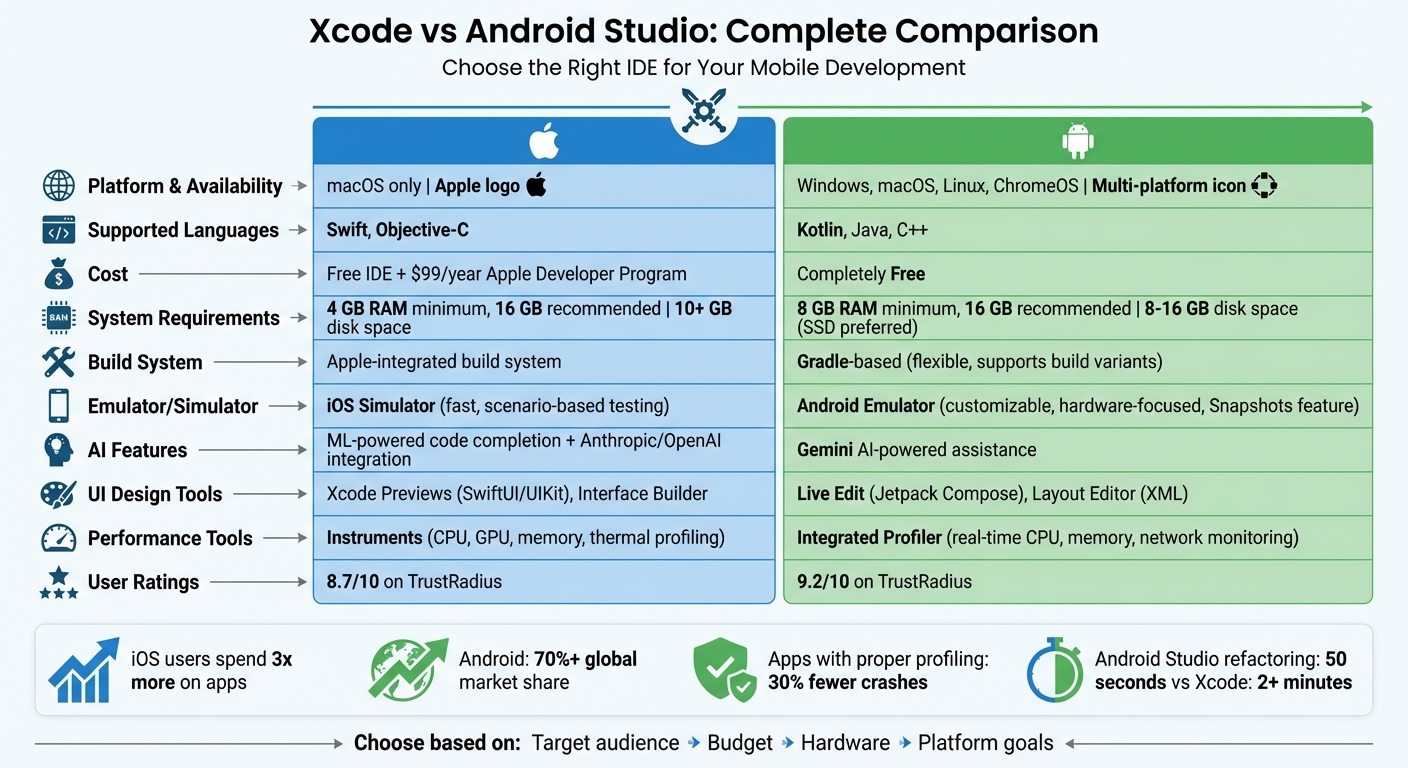
Xcode vs Android Studio: Complete IDE Comparison Chart
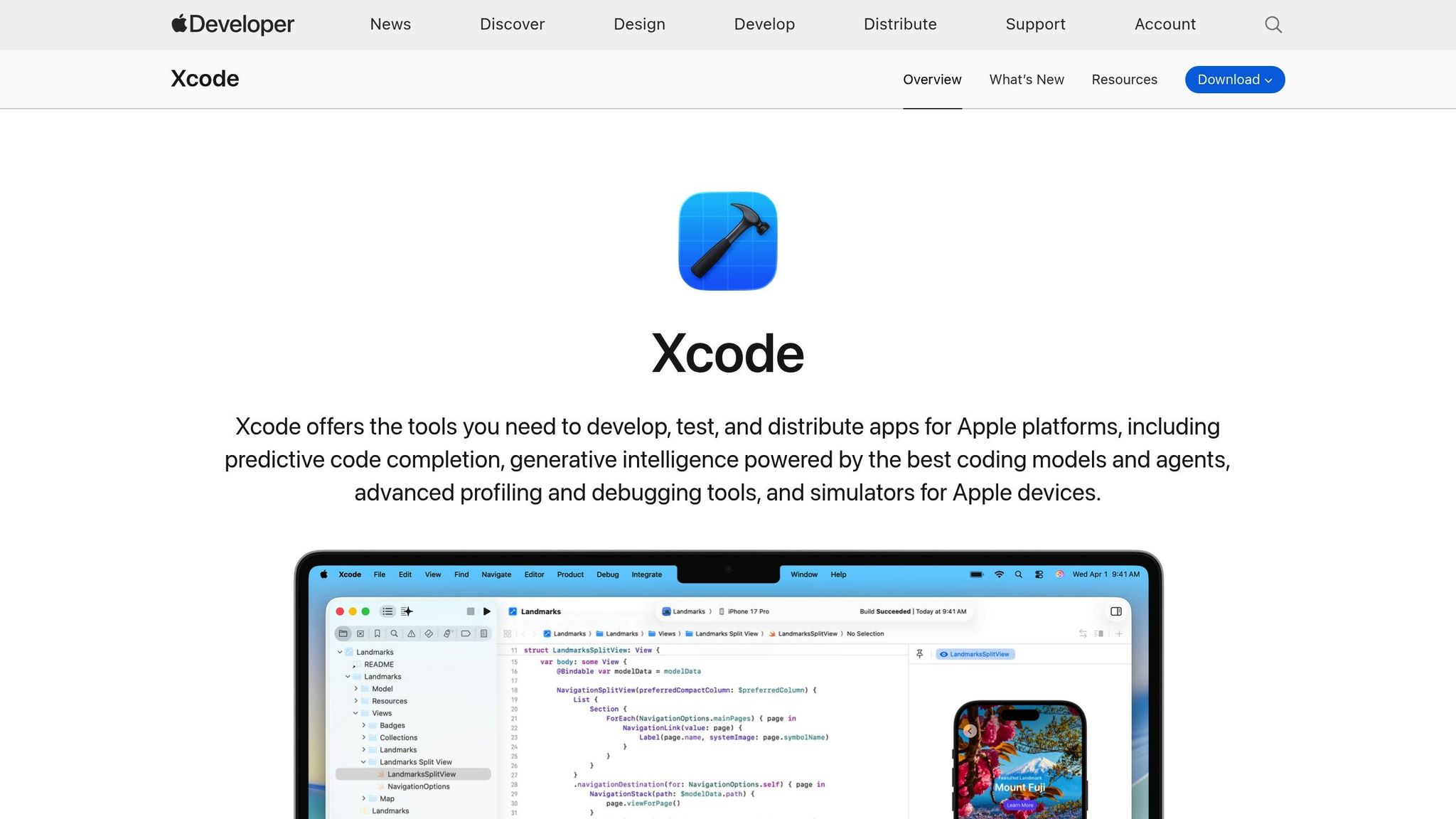
Xcode is Apple's official Integrated Development Environment (IDE), serving as the central hub for creating apps across its entire ecosystem - iOS, iPadOS, macOS, watchOS, tvOS, and visionOS. Launched on October 23, 2003, Xcode is essential for developers who want to code sign, upload apps to the App Store, or distribute them via TestFlight.
What sets Xcode apart is its tight integration with Apple's hardware and software. It takes full advantage of Apple silicon, enabling features like on-device machine learning for predictive code completion. It also provides powerful tools, such as Instruments, which allow developers to profile CPU, GPU, memory, and thermal performance in real-time across Apple devices. The latest preview release, Xcode 26.3 (as of February 2026), introduces advanced coding features powered by large language models from Anthropic and OpenAI.
One major limitation, however, is Xcode's exclusivity to macOS, which means developers need Apple hardware to use it. Bruce Carter, a Senior Systems Engineer, sums it up:
This is almost not a case of Xcode being the 300-pound gorilla in the space, but of it being essentially the ONLY viable gorilla in the space... fighting against that flow is just going to be an exercise in frustration.
By comparison, Android Studio offers broader compatibility, supporting multiple operating systems while aligning closely with Google's ecosystem.
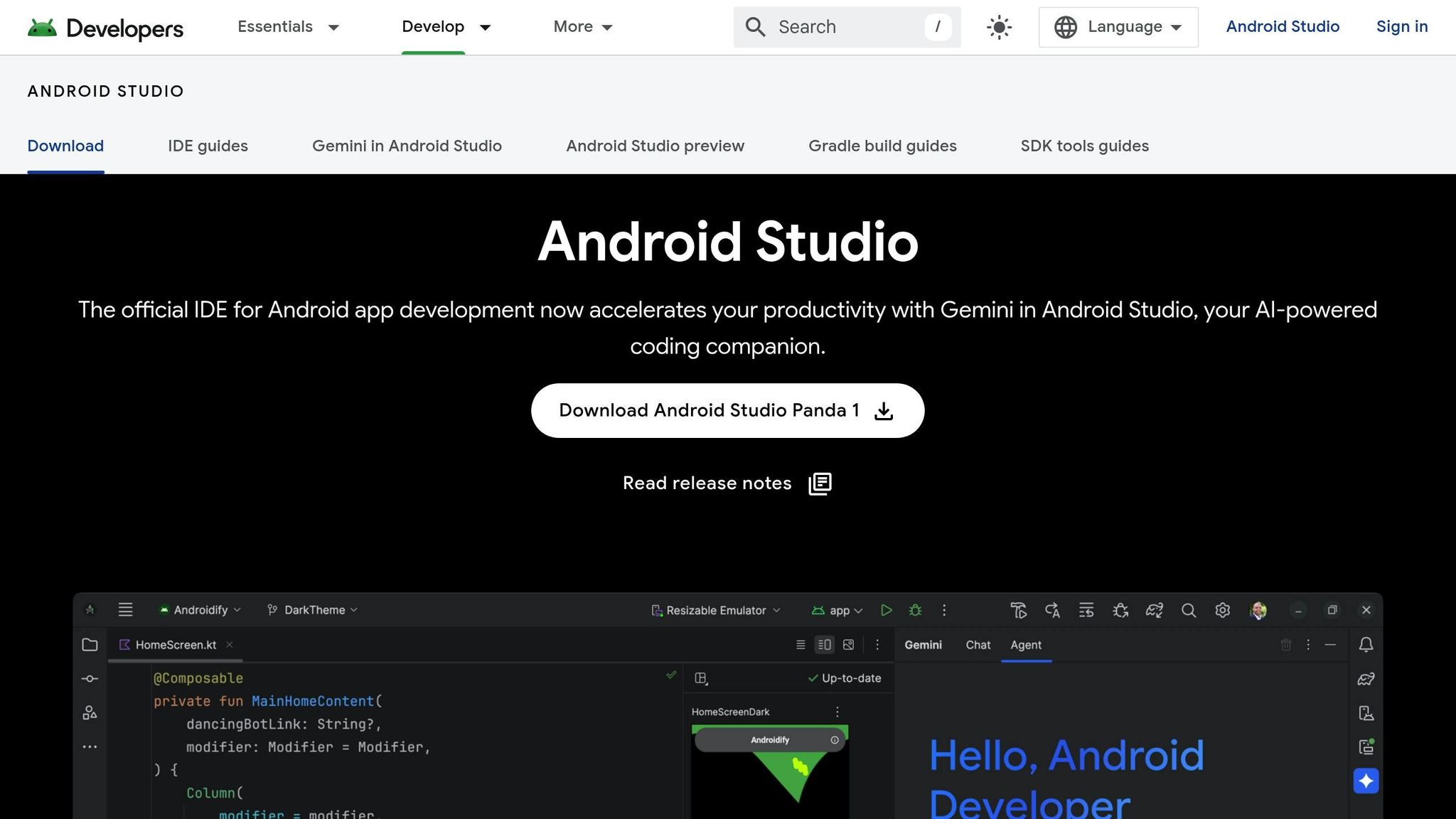
Unveiled at Google I/O on May 16, 2013, Android Studio is Google's official IDE for Android app development. Built on JetBrains' IntelliJ IDEA platform, it supports a wide array of Android-powered devices, including smartphones, tablets, Wear OS wearables, Android TV, and Android Automotive.
Android Studio shines in its cloud integration capabilities. It works seamlessly with Firebase, Google Play Services, and Google Cloud Platform. It even includes built-in assistants for Firebase and Gemini AI coding support, making it a strong choice for developers leveraging Google's ecosystem. The Gradle-based build system is another standout feature, allowing developers to generate multiple APKs or App Bundles from a single project - an effective solution to Android's fragmented device landscape.
Unlike Xcode, Android Studio is available on multiple operating systems, including Windows, macOS, Linux, and ChromeOS, giving developers more flexibility. The latest stable release, version 2025.3.1 (Panda), was available as of February 2026.
When it comes to features, both Xcode and Android Studio pack a punch, but each is tailored to its respective platform. Xcode uses on-device machine learning to provide predictive code completion and even integrates with third-party large language models like Anthropic and OpenAI for enhanced coding support. Its Xcode Previews feature is a standout, offering live previews for SwiftUI, UIKit, and AppKit changes, making UI development more intuitive.
On the other hand, Android Studio leans on its Gradle build system, which simplifies handling complex projects by allowing developers to generate multiple APKs from a single codebase. The Live Edit feature for Jetpack Compose is another highlight, enabling real-time UI updates directly on emulators or physical devices. Android Studio also incorporates Gemini, an AI-powered tool for smarter coding assistance, alongside Lint tools for automated code quality analysis.
Both IDEs also excel in performance analysis and testing. Xcode's Instruments provides detailed graphical tracks for CPU, GPU, memory, and disk usage, with advanced templates to pinpoint issues like memory leaks or CPU spikes. As Team Lead Maxim Gorin puts it, Instruments offers a robust way to diagnose performance bottlenecks. Meanwhile, Android Studio's Integrated Profiler monitors CPU, memory, and network usage in real time as the app runs, giving developers immediate feedback.
Testing tools further highlight the differences. Xcode employs the iOS Simulator, which Apple describes as delivering "great performance, advanced debugging tools, and the ability to simulate various scenarios like location changes, memory warnings, and network throttling". Android Studio's Android Emulator is highly adaptable, with a Snapshots feature for quickly saving and restoring virtual device states, making it ideal for hardware-focused testing. These tools underline the strengths of each IDE in practical development scenarios.
| Feature | Xcode | Android Studio |
|---|---|---|
| Code Completion | ML-powered predictive completion with support for third-party models (Anthropic, OpenAI) | Gemini AI-powered assistance |
| Debugging Tools | Integrated debugger with Instruments for deep diagnostics | Integrated debugger with real-time profiler |
| UI Builder | Xcode Previews for SwiftUI/UIKit, Interface Builder | Composable Preview for Jetpack Compose, Layout Editor for XML |
| Emulator/Simulator | iOS Simulator (fast, scenario-based testing) | Android Emulator (customizable, hardware-focused) |
| Build System | Integrated Apple build system | Gradle-based (flexible, supports build variants) |
| CI/CD | Xcode Cloud (built-in) | Gradle integration with external pipelines |
| Testing Frameworks | Swift Testing, XCTest | JUnit, Espresso, UI Automator |
| Asset Management | Asset Catalogs | Vector Asset Studio |
When it comes to performance and resource usage, the differences between Android Studio and Xcode are worth noting. Android Studio is notorious for its resource demands, requiring at least 8 GB of RAM to function well, though many developers suggest 16 GB for smoother performance. This is largely due to its reliance on the IntelliJ IDEA platform and the Gradle build system, which constantly analyzes code in real time. As Hatem A. Gad, Founder of BrontoMind, points out:
An Android emulator isn't merely a simulation; it's a complete virtualized Android operating system running on your host machine... This virtualization layer inherently introduces significant overhead.
On the other hand, Xcode is more efficient on macOS systems, with the ability to run effectively on as little as 4 GB of RAM. ZenCodeLabs highlights this efficiency:
Xcode / Android Studio are heavy-duty IDEs. They provide rich profilers, UI inspectors, and emulators, but they're resource-intensive.
Build performance also shows distinct differences. For example, one test revealed Android Studio completed a complex refactoring task in 50 seconds, while Xcode 9.2 took over 2 minutes. Fabrizio Duroni, Senior Mobile Developer, praised Android Studio's speed, saying:
Android Studio enables rapid code refactoring... you can write code and forget about your mouse!!.
Both IDEs have seen performance boosts with Apple Silicon hardware (M1 through M4 Pro/Max), with Android Studio now offering native ARM emulation for better efficiency. For developers working with limited hardware, using a physical Android device instead of the emulator can significantly reduce system strain. Android Studio also includes features like "Quick Boot" and snapshot management to bypass the resource-heavy cold boot process.
| Aspect | Xcode | Android Studio |
|---|---|---|
| Resource Usage | Optimized for macOS; runs on 4 GB RAM | High demands; 8 GB minimum, 16 GB recommended |
| Learning Curve | Beginner-friendly with visual tools; 32% of iOS developers cite ease of use | Steeper due to Gradle, but familiar for IntelliJ IDEA users |
| UI Intuitiveness | Streamlined with Interface Builder; 74% prefer visual tools | Highly customizable; rated 9.0/10 on TrustRadius |
| Speed | Faster compile times on macOS; opens quickly | Slower on low-end machines; Instant Run saves up to 20% coding time |
| Platform Availability | macOS-exclusive | Cross-platform (Windows, macOS, Linux) |
| Overall Rating | 8.7/10 on TrustRadius | 9.2/10 on TrustRadius |
Xcode supports Swift and Objective-C as primary languages for Apple platform development. Swift has become the go-to language, thanks to its straightforward syntax. Simon Lee from ThisIsGlance highlights that Swift "reads almost like English sometimes, which makes debugging much less of a headache than it used to be with Objective-C". On the other hand, Objective-C is now considered a legacy language, so new developers are encouraged to focus on Swift.
Android Studio, on the other hand, supports Kotlin, Java, and C++. Kotlin is Google's preferred choice, but Java remains essential for understanding Android's foundations. Software developer Curious Fox explains, "Kotlin is growing very fast and it's highly recommended for Android development. At the same time, it's impossible to know Kotlin without Java". For beginners, starting with Java before transitioning to Kotlin can provide a solid foundation.
These language preferences also influence memory management. iOS development relies on Automatic Reference Counting (ARC), which simplifies memory management and helps prevent leaks. Android uses garbage collection, which, while effective, can sometimes cause slight performance dips during execution. These differences shape the overall development experience on each platform.
The choice of programming language plays a big role in shaping the build and testing workflows for each platform. Android Studio uses the Gradle build system, which is powerful but can feel complex at times. Gradle allows developers to create multiple build variants - like free and paid versions - without modifying the core source files. In contrast, Xcode features its own integrated build system, which is tightly linked to Apple's ecosystem. With the addition of Xcode Cloud, continuous integration is now easier to manage.
For UI design, both platforms provide robust tools. Xcode includes "Interface Builder", which combines drag-and-drop functionality with code-based design, and "Xcode Previews", which lets developers see changes in real time. Android Studio offers a "Layout Editor" for XML design and "Live Edit" for Jetpack Compose, enabling dynamic updates. Testing tools also differ: Xcode comes with an iOS Simulator, while Android Studio provides a highly capable emulator that supports a wide variety of device configurations. Since Android apps often need to run on a broader range of devices, testing requirements can be more demanding.
Deployment workflows also reflect platform-specific needs. Xcode, with Swift as its core language, streamlines processes like code signing, TestFlight distribution, and App Store uploads. Android Studio integrates with Google Play and Firebase, offering tools for app distribution and performance tracking. Many developers working across platforms adopt a hybrid approach, using tools like VS Code for quick edits, Android Studio for emulation and Gradle tasks, and Xcode for final iOS signing and App Store submissions.
When comparing tools for app development, system compatibility plays a vital role in deciding which platform to use.
If you're using Xcode, macOS is your only option. A Mac is required to build native apps for iOS, macOS, watchOS, and tvOS, as well as for key tasks like code signing, App Store uploads, and TestFlight distribution.
The latest versions of Xcode demand newer macOS releases. For instance, as of February 2026, Xcode 26.4 beta requires macOS Tahoe 26.2 or later, while Xcode 26.3 requires macOS Sequoia 15.6 or later. Additionally, advanced features like visionOS development and AI-powered predictive code completion are exclusive to Macs with Apple silicon, leaving older Intel-based models behind. Although 8 GB of RAM is the minimum, 16 GB or more is recommended for a smoother experience.
Keep in mind, Xcode's initial download is hefty - over 10 GB - and you'll need extra space for SDKs, caches, and simulator images. While Xcode itself is free, publishing apps comes with a $99 annual fee for the Apple Developer Program.
Unlike Xcode, Android Studio offers cross-platform support, running on Windows, macOS, and Linux. This flexibility allows developers to work with their preferred operating system. Peter Chapman, a Senior System Architect, emphasizes this advantage:
Excellent cross platform support means I can develop on macOS, Windows, or Linux without losing functionality between platforms.
However, Android Studio has its own set of requirements. It needs at least 8 GB of RAM, though 16 GB is recommended for smooth Gradle builds and emulator performance. You'll also need 8 GB of disk space at minimum - 16 GB on an SSD is ideal for faster project indexing and loading. Hardware acceleration, such as Intel HAXM or AMD Hypervisor, is necessary for optimal performance.
On the bright side, Android Studio is completely free, with no annual fees for publishing apps. The minimum screen resolution is 1280 x 800, but 1920 x 1080 is preferred for a better experience. Linux users need a system that supports Gnome, KDE, or Unity DE, along with GNU C Library (glibc) 2.31 or later. However, as Android Developer Chiyars Malhotra notes:
Android Studio needs a very high amount of RAM and a high-end processor to run smoothly, which can't be affordable for everyone.
Xcode is the go-to tool for developing apps for Apple's ecosystem. Whether you're building for iOS, macOS, watchOS, or tvOS, Xcode is essential for tasks like code signing, TestFlight integration, and App Store submissions. Experts emphasize that Xcode remains the only viable option for native Apple development.
Xcode is particularly useful when your app requires advanced profiling tools like Apple Instruments. These tools help pinpoint memory leaks and address performance issues before your app goes live. It's also the ideal choice for apps that need robust security measures, as iOS devices are generally seen as less vulnerable to security threats. However, keep in mind the $99 annual Apple Developer Program fee, which is necessary for distributing apps on the App Store.
Android Studio is the official IDE for Android development, offering seamless integration with the Android SDK and a flexible Gradle build system. If you're aiming to reach Android's vast global audience or need to address the challenges of device fragmentation, Android Studio is your best bet. A Verified User from Google shared:
Android Studio is a great mobile development IDE. I have found it is the best for both Android and Flutter development.
The IDE's cross-platform compatibility (available on Windows, macOS, and Linux) makes it accessible to developers working in varied environments. Additionally, Android Studio is completely free to use, which makes it an attractive option for startups or developers working with tight budgets.

Deciding between Xcode and Android Studio is more than a technical choice - it’s a business decision that affects your app's long-term costs, return on investment, and speed to market. Dots Mobile offers comprehensive mobile app development services for both iOS and Android platforms. Their team leverages technologies like Swift, Kotlin, and Java to create scalable and user-friendly solutions.
Whether you're a startup focusing on one platform or a larger enterprise needing cross-platform support, Dots Mobile can guide you through every step - IDE selection, development workflows, and deployment strategies tailored to your goals. Their portfolio includes AI-driven apps for industries like fitness, beauty, and lifestyle, showcasing their ability to tackle diverse challenges with precision and expertise.
Choosing the right IDE ultimately depends on your target platform and the specific needs of your project. Each option brings its own strengths, as reflected in developer feedback. For native Apple development, Xcode is indispensable. It offers powerful tools like Instruments for profiling and integrates seamlessly with TestFlight and the App Store. On the other hand, Android Studio stands out with its cross-platform compatibility, robust Gradle build system, and tight integration with Google services.
These unique features - such as Xcode's on-device machine learning capabilities and Android Studio's flexible build system - make each IDE well-suited for particular tasks. Both are free to download, but if you're developing for the Apple ecosystem, Xcode is non-negotiable for code signing and App Store submissions. Meanwhile, Android Studio equips you with everything you need to tap into a market that spans over 70% of mobile devices worldwide.
When comparing their strengths, it's clear that both IDEs shine in different areas. Many professional developers combine workflows, using lightweight editors like VS Code for quick coding and platform-specific IDEs for testing, profiling, and deployment. It's worth noting that apps developed with proper profiling tools experience 30% fewer crashes, highlighting the value of leveraging these built-in features.
Your decision should align with your target audience, budget, and long-term goals. For example, iOS users tend to spend three times more on apps, while Android's massive user base offers unparalleled reach. For more complex projects, Dots Mobile can assist with platform selection, development workflows, and deployment strategies tailored to your objectives.
While there are other platforms and cloud-based tools that allow you to build iOS apps, using a Mac is typically necessary for working with Xcode - Apple’s official integrated development environment (IDE) for iOS development. Xcode offers the smoothest workflow for creating, testing, and launching iOS applications.
Xcode is a popular choice for beginners, thanks to its straightforward interface and built-in tools. Features like advanced debugging and visual previews simplify the learning process, especially for those diving into iOS development. On the other hand, Android Studio, while highly capable, can feel a bit overwhelming for newcomers. Its support for multiple platforms and the need to work with languages like Java or Kotlin add layers of complexity. For those just starting out and focusing solely on iOS, Xcode provides a smoother entry point.
To get the best performance out of Android Studio, it's suggested to have at least 8 GB of RAM. This helps keep things running smoothly and reduces delays while working on development tasks.


