Swift vs Kotlin: Best Language for Mobile Apps?
When deciding between Swift and Kotlin for mobile app development, the choice boils down to your platform and project needs:
- Swift is Apple's language for iOS, macOS, and other Apple platforms. It's optimized for performance, security, and deep integration with Apple's ecosystem.
- Kotlin is Google's preferred language for Android. It offers Java interoperability, modern features, and supports cross-platform development through Kotlin Multiplatform.
Key Differences:
- Swift: Best for iOS apps requiring advanced Apple features like ARKit or Core ML. It ensures fast app performance and smooth integration with Apple's tools.
- Kotlin: Ideal for Android apps or projects needing Java compatibility. It's also a great choice for cross-platform apps to share logic across iOS and Android.
Quick Comparison:
| Feature | Swift | Kotlin |
|---|---|---|
| Platform | iOS, macOS, watchOS, tvOS | Android, Kotlin Multiplatform |
| Integration | Seamless with Apple frameworks | Works with Java and Android tools |
| Performance | Optimized for Apple hardware | Efficient on Android Runtime (ART) |
| Community | Smaller, Apple-focused | Larger, Java-rooted |
| Cross-Platform | Limited | Supported via Kotlin Multiplatform |
Conclusion: Choose Swift for iOS-first projects or if you're building apps heavily tied to Apple features. Opt for Kotlin for Android-first apps or cross-platform development. Your team’s expertise and target audience should guide your decision.
Similarities and differences of Swift and Kotlin
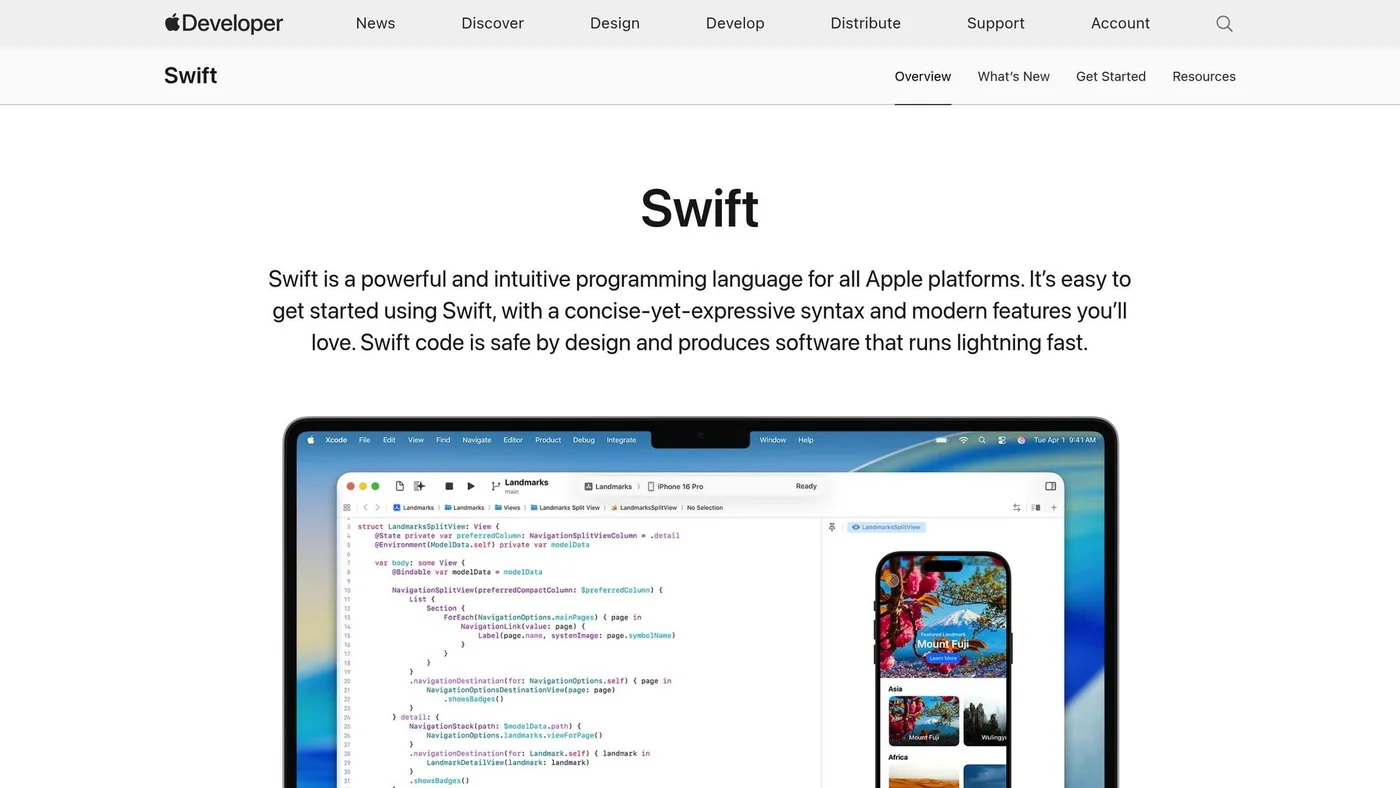
Language Features and Characteristics
Swift and Kotlin bring a fresh perspective to mobile development, refining older languages while maintaining compatibility with established ecosystems. Their unique approaches to syntax, features, and interoperability reflect distinct philosophies tailored to diverse developer needs and project goals.
Syntax and Readability
Swift's syntax is designed to be clean and approachable, shedding Objective-C's verbosity by eliminating semicolons and square brackets. Developers use var for variables that can change and let for constants. Swift's optional types enforce explicit handling of missing values through optional binding, reducing the likelihood of runtime crashes - a significant improvement in code safety.
Kotlin's syntax retains the familiar structure of Java but trims the excess with type inference and modern conveniences. Its null safety feature is a standout, using nullable types (like String? versus String) to catch potential null pointer issues during compile time. This system makes it clear whether a value is safe or potentially risky, leading to more reliable code.
Now, let’s explore the standout features that make these languages so powerful.
Main Language Features
Both Swift and Kotlin pair their readable syntax with robust features aimed at increasing productivity and code quality.
Swift employs extensions and protocol-oriented programming to encourage modular, reusable, and testable code. Extensions let developers add new functionality to existing classes without altering their original implementation. Protocols, on the other hand, define required behaviors that can be shared across different types. Swift also emphasizes value types like structs and enums, which help avoid issues with shared mutable state and make concurrent programming more secure.
Kotlin simplifies common coding tasks with data classes, which automatically generate methods like equals(), hashCode(), and toString() with minimal effort. For handling asynchronous tasks, Kotlin's coroutines allow developers to write async code that looks and behaves like synchronous code, making network calls and database operations more intuitive.
Both languages embrace functional programming alongside object-oriented principles. Swift incorporates higher-order functions and closures, while Kotlin offers lambda expressions and functional interfaces, giving developers the flexibility to choose the best tool for the job.
Interoperability and Compatibility
Swift's interoperability shines in its seamless integration with Objective-C and Apple's frameworks. Developers can call Objective-C code directly from Swift, enabling a gradual transition for existing projects without requiring complete rewrites. However, while Swift is open-source, its practical use is largely confined to Apple's ecosystem.
Kotlin, by contrast, is built to work hand-in-hand with Java. It compiles to the same bytecode, allowing developers to use existing Java libraries and frameworks without issue. This compatibility means Kotlin and Java can coexist within the same project. Beyond Android, Kotlin's versatility extends through Kotlin Multiplatform, supporting code sharing across iOS, web, and desktop applications.
The two languages also differ in how they compile code. Swift uses LLVM to compile directly to native machine code, ensuring top-tier performance on Apple devices. Kotlin compiles to JVM bytecode for Android, JavaScript for web applications, and native code through Kotlin/Native, making it a highly adaptable option for various platforms.
Performance and Platform Support
Swift and Kotlin deliver top-tier performance through their unique compilation methods and platform-specific optimizations.
Swift's Performance on iOS
Swift leverages LLVM-based direct compilation, producing highly optimized binaries that ensure quick launch times and efficient memory usage.
With Automatic Reference Counting (ARC), Swift handles memory management by automatically deallocating unused objects, maintaining consistent app performance without developer intervention.
Swift also employs copy-on-write for data structures like arrays and strings, which reduces memory usage by sharing data until modifications are needed.
Additionally, Swift's whole-module optimization analyzes the entire codebase during compilation. This allows for advanced improvements such as function inlining and removing unused code, resulting in better overall performance compared to file-by-file compilation.
Kotlin's Performance on Android
Kotlin operates on Android Runtime (ART), where Ahead-of-Time (AOT) compilation converts bytecode into native code during app installation, leading to efficient performance.
Kotlin's lightweight coroutines make asynchronous operations seamless, avoiding the heavy memory usage associated with traditional threading.
The language also benefits from inline functions, which reduce the overhead of frequently called utilities by incorporating the function's code directly at compile time.
Another strength is Kotlin's null safety, enforced at compile time. By eliminating runtime null checks, Kotlin ensures smoother execution and fewer runtime errors.
Performance Comparison Table
| Performance Aspect | Swift | Kotlin |
|---|---|---|
| Compilation | Direct compilation to native code via LLVM | Bytecode compiled to native code via ART |
| Memory Management | Automatic Reference Counting (ARC) | Garbage collection optimized by ART |
| App Launch Time | Faster due to native compilation | Competitive with ART optimizations |
| Runtime Overhead | Minimal, no virtual machine involved | Low, thanks to ART's efficient handling |
| Async Performance | Uses Grand Central Dispatch for tasks | Lightweight coroutines for high efficiency |
| Memory Footprint | Lower baseline usage | Slightly higher due to JVM overhead |
| Battery Impact | Optimized for Apple's power management | Efficient within Android's Doze mode |
Both Swift and Kotlin are well-suited for mobile app development, delivering impressive performance. Swift stands out in memory efficiency and faster startup times, while Kotlin shines in handling concurrent tasks and complex asynchronous workflows. In practice, the performance differences are often minor, as platform-specific optimizations tend to have a greater impact than the programming language itself.
sbb-itb-707e22a
Development Tools and Community Support
The tools and community backing behind a programming language play a big role in how efficiently developers can create mobile apps. Both Swift and Kotlin provide solid ecosystems, but each comes with its own strengths.
Development Environments
For iOS development, Xcode is the go-to integrated development environment (IDE). Exclusive to macOS, it comes packed with features like Interface Builder, Instruments, and a simulator that lets you test apps on various virtual devices. On the other hand, Android Studio, built on IntelliJ IDEA, supports multiple operating systems, including Windows, macOS, and Linux. It offers features like code completion, refactoring tools, and the ability to develop for various platforms, giving Android developers more flexibility compared to iOS developers who are tied to macOS.
But development environments are just one piece of the puzzle. Libraries and frameworks also play a huge role in boosting productivity.
Library and Framework Support
Swift developers benefit from first-party frameworks like SwiftUI for building user interfaces and Combine for handling asynchronous events. The Swift Package Manager simplifies dependency management, while popular libraries like Alamofire (networking), Realm (database management), and SnapKit (Auto Layout) are widely used. While Apple's curated ecosystem ensures high-quality tools, it may not offer as many third-party libraries as more open platforms.
Kotlin, on the other hand, taps into the vast Java ecosystem, giving developers access to tried-and-tested libraries like Retrofit for API communication, Room for database management, and Dagger for dependency injection. The Android Jetpack libraries further enhance the development experience by offering modern patterns and backward compatibility. Kotlin's interoperability with Java also makes it easier for developers to integrate legacy libraries or gradually migrate existing projects.
Beyond tools and libraries, the strength of a language's community can significantly impact a developer's experience.
Community and Documentation
Swift has a passionate and engaged community that actively contributes to open-source projects and shares knowledge at events like WWDC and try! Swift. Apple's official documentation is detailed and tailored to iOS development, helping developers stay up to date with the latest advancements.
Kotlin enjoys a thriving and rapidly growing community, thanks to backing from both JetBrains and Google. Since becoming Android's preferred language in 2017, Kotlin has seen a surge in adoption. Events like KotlinConf provide platforms for developers to exchange ideas and best practices. Kotlin's official documentation is well-regarded for its practical examples and migration guides, which make it easier for Java developers to transition to Kotlin.
| Support Aspect | Swift | Kotlin |
|---|---|---|
| IDE Availability | macOS only (Xcode) | Cross-platform (Android Studio) |
| Package Ecosystem | Curated and streamlined | Extensive Java ecosystem |
| Learning Resources | Apple-focused documentation | Java and Kotlin resources |
| Community Size | Smaller but highly active | Larger, with Java roots |
| Corporate Backing | Apple | Google and JetBrains |
| Development Cost | Higher due to macOS hardware | Lower, cross-platform support |
Use Cases and App Examples
Swift and Kotlin cater to different development needs, depending on the platform and project requirements. Here's a closer look at when each language shines and how they can align with your app's goals.
When to Choose Swift
If you're working on an iOS-first project, Swift is the go-to choice. Its tight integration with Apple's ecosystem makes it ideal for apps leveraging features like HealthKit, ARKit, or Core ML. Swift's performance is optimized for iOS devices, ensuring smooth operation and reliable results, especially for apps that demand high performance or interact closely with Apple's hardware. Additionally, its strong security features make it a solid option for enterprise-level apps that require secure device integration.
When to Choose Kotlin
For Android-first projects, Kotlin stands out. Its seamless interoperability with Java simplifies development, while its modern features enhance productivity. Kotlin also supports Kotlin Multiplatform, enabling shared business logic across platforms, making it a smart pick for cross-platform applications. Its mature development tools and capabilities make it especially well-suited for handling complex Android projects.
Examples of Successful Apps
Both Swift and Kotlin power some of the most well-known mobile apps. These examples demonstrate how each language can be tailored to create scalable, high-performing applications. By aligning the unique strengths of Swift or Kotlin with your project's specific needs, you can achieve exceptional results and meet user expectations effectively.
How to Choose the Right Language for Your Project
Deciding on the best programming language for your project isn’t just about preferences - it’s about aligning your choice with the specific needs of your project, your business goals, and the resources you have available.
Main Decision Factors
Several key factors come into play when selecting the right language:
Target platform is often the most influential factor. If you’re developing for iOS, Swift integrates seamlessly with Apple’s ecosystem, making it the go-to choice. On the other hand, Kotlin offers excellent compatibility with Java-based environments, making it ideal for Android development.
Development timeline and budget are critical considerations. Swift projects can require separate development for Android versions, potentially doubling costs. Kotlin, with its multiplatform capabilities, allows for shared business logic across platforms, which can help cut long-term expenses.
Team expertise can make or break a project. Developers with a Java background typically find Kotlin easier to adopt, while those experienced with Objective-C often gravitate toward Swift due to its similarities.
Performance needs should guide your decision for resource-heavy applications. Swift is well-suited for apps requiring high performance, such as graphics-intensive applications or those needing advanced hardware integration. Meanwhile, Kotlin shines in data-driven apps and complex backend systems.
Long-term maintenance is another vital aspect. Swift evolves in line with Apple’s roadmap, while Kotlin benefits from the combined support of Google and JetBrains, ensuring regular updates and robust community backing.
These factors help create a tailored approach to language selection, as demonstrated by Dots Mobile’s extensive experience in the field.
Dots Mobile's Expertise
At Dots Mobile, we specialize in both Swift and Kotlin, helping businesses make informed decisions that align with their technical and strategic goals. Our process includes a thorough analysis of your target audience, business objectives, and technical requirements to recommend the most appropriate language.
We’ve successfully delivered Swift-based iOS apps that require deep integration with Apple’s ecosystem, as well as Kotlin-based solutions for Android-first projects and cross-platform applications using Kotlin Multiplatform.
Whether your project involves AI-powered applications, intricate backend systems, or straightforward consumer apps, our expertise ensures you’ll have a solid technical foundation.
Final Recommendations
- Choose Swift for iOS-first projects that need advanced Apple features like ARKit, HealthKit, or Core ML. Swift is also ideal for performance-heavy apps, games, or scenarios where your team has strong iOS experience.
- Choose Kotlin for Android-first projects, apps requiring Java interoperability, or when planning cross-platform development. It’s a great fit for enterprise solutions, data-heavy applications, and projects where shared logic across platforms is a priority.
If you’re a startup with tight resources, it’s often best to focus on one platform initially, selecting the language that aligns with your primary audience. For established companies, analyzing your user base and prioritizing the language that serves your largest market segment is key.
The ultimate goal is to align your language choice with your project’s unique goals, timeline, and available resources for the best results.
FAQs
How do Swift and Kotlin differ in supporting cross-platform development, and which is better for sharing app logic across iOS and Android?
When it comes to cross-platform development, Swift and Kotlin take very different paths. With Kotlin Multiplatform (KMP), developers can share core logic - like business rules and data processing - across Android and iOS, while still crafting platform-specific user interfaces. This approach gives teams the ability to simplify development workflows without sacrificing the native look and feel users expect.
Swift, however, is primarily built for native iOS development and doesn’t include built-in support for cross-platform projects. While there are third-party tools that can expand Swift’s capabilities, Kotlin Multiplatform tends to be the better choice for efficiently sharing code between Android and iOS, especially for teams working on both platforms.
How do I decide between Swift and Kotlin for a high-performance app with advanced hardware integration?
When choosing between Swift and Kotlin for building a high-performance app with advanced hardware integration, the platform you're developing for is a key factor to weigh.
Swift is purpose-built for iOS development and works seamlessly within Apple’s ecosystem. This makes it an excellent choice for apps that need to tap into the advanced hardware capabilities of iPhones and iPads. Its performance is fine-tuned specifically for iOS devices, ensuring smooth and efficient operation.
Kotlin, on the other hand, is the go-to language for Android development. It integrates effortlessly with Android hardware and tools, making it a solid option for Android apps. For cross-platform projects, Kotlin can be used with frameworks like Kotlin Multiplatform, but when it comes to iOS-specific features and performance, Swift remains the stronger contender.
In the end, your choice should reflect the core platform and hardware needs of your app.
How do Swift and Kotlin's development environments and community support affect learning and productivity for new developers?
Swift and Kotlin are both designed to be accessible, but the ease of learning depends on your prior experience. Kotlin feels natural for developers with a Java background since it enhances Java's structure while simplifying complex elements. Meanwhile, Swift stands out with its modern, clean syntax, making it particularly inviting for those who are just starting their programming journey.
Both languages are supported by active communities and comprehensive documentation. This means developers can easily find tutorials, troubleshooting guides, and other resources to help them learn and stay productive. Whether you're building apps for iOS, Android, or working on cross-platform projects, these ecosystems make the learning curve much smoother.
Related Blog Posts
 StrategyFlutter or native: how we actually decide
 DevelopmentHow we use AI in development — and where we don't
 DesignOnboarding that keeps day-seven users
 StrategyHow much does an app cost? The honest breakdown
 Design7 mobile app design trends to watch in 2026
 DevelopmentClean code in mobile development
 StrategyHow to validate your app idea before building
 DesignHow to Build Custom App Dashboards
 DevelopmentSolving Memory Bottlenecks in Multithreaded Apps
 DesignBest Practices for Mobile App Onboarding
 DevelopmentPWA vs Native vs Hybrid: Key Differences
 DesignHow to Design App Screenshots for Maximum Impact
 Growth7 Content Marketing Tips for App Launches
 DesignHow to Build Scalable iOS Apps with Swift
 StrategyMobile App Feature Planner Made Easy
 DevelopmentXcode vs Android Studio: Key Differences
 DesignHow to Build a Personalized Recommender System
 DesignUI/UX Design Checklist for Perfect Apps
 GrowthApp Store Keyword Finder for Better Reach
 Development10 Best Practices for Real-Time Data Sync
 DevelopmentCase Study: Scalable Backend for Fitness Apps
 Design5 Common UI/UX Mistakes Startups Make
 DesignHow SwiftUI Simplifies iOS UI Design
 GrowthApp Visibility Metrics: What to Track in 2025
 DevelopmentiOS vs Android Development: Which Platform First?
 GrowthFreemium vs. Subscription: App Monetization Models
 Growth10 Gamification Techniques for App Retention
 StrategyStep-by-Step MVP Development Process Explained
 GrowthApp Store A/B Testing vs. Google Play Experiments
 DevelopmentBest Practices for Mobile App Battery Efficiency
 GrowthCommon App Store Rejection Reasons
 StrategyHow to Choose a Tech Stack for Startup Apps
 DesignBest Practices for Voice UI Design in Mobile Apps
 StrategyMobile App Development Checklist for Startups
 StrategyMVP Prototyping for Non-Technical Founders
 DesignMobile App UI/UX Design: Common Questions Answered
 GrowthLow User Engagement? 7 Mobile App Solutions
 GrowthApp Store Optimization: 8 Tips for Better Rankings
 DesignMobile App Development Cost: 2025 Pricing Guide
 Growth10 Steps to Launch Your First Mobile App
 DevelopmentBest Mobile App Development Tools in 2025
 StrategyHow to Choose Mobile App Development Company